How AgeChecker.Net ID Scanning Works
1. Prepare a sale
Prepare a sale in your Lightspeed X-Series system as you usually would.
2. Click the "Pay" button
Click the "Pay" button where the ID scanning prompt will then appear in your POS system.
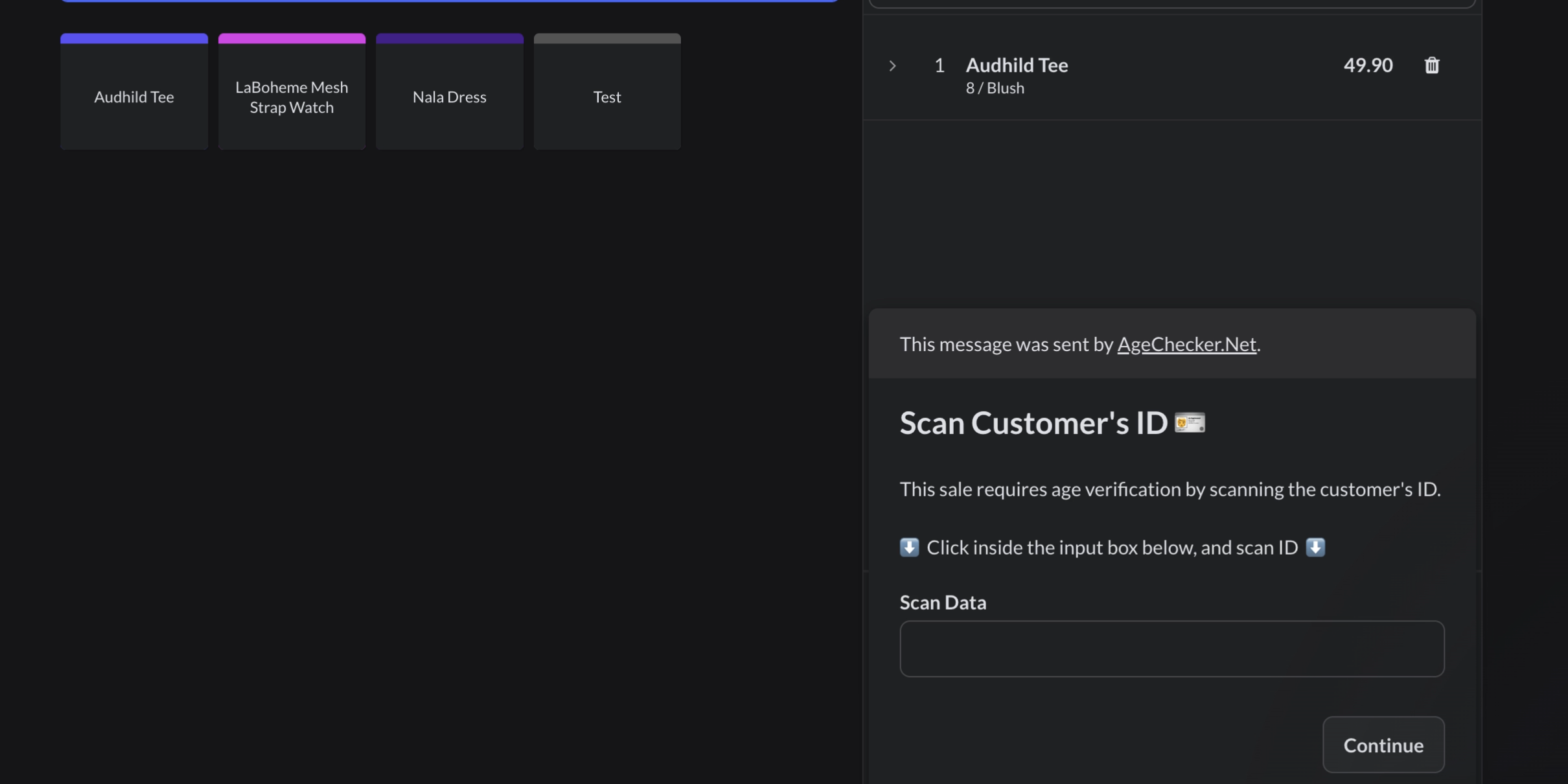
3. Scan Customer's ID
Click inside the "Scan Data" box, and scan the customer's ID to begin the verification.
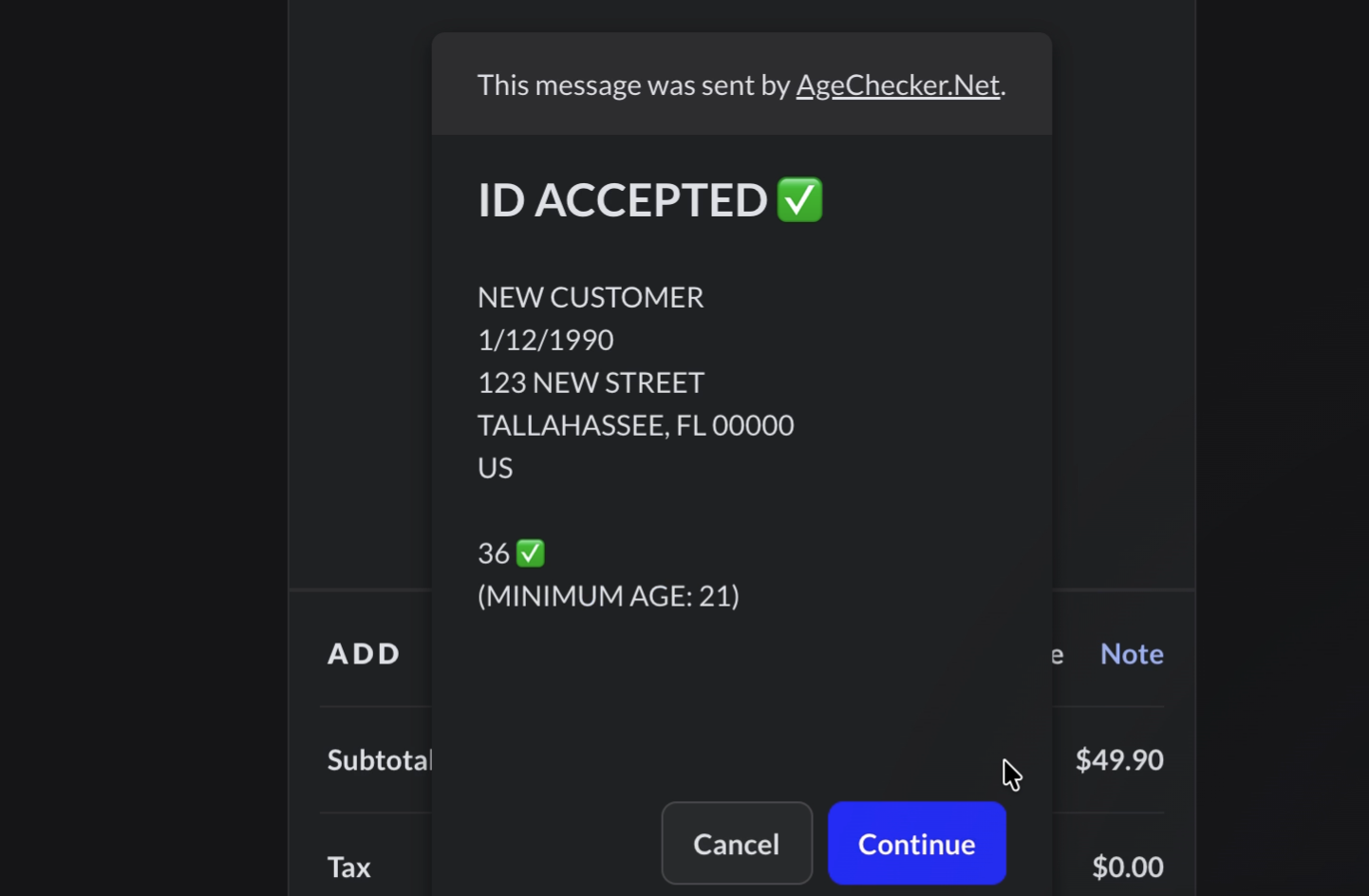
4. Retrieve result
See the fast result of the ID scan to make a more informed decision on the customer sale.